NoBrainner Protocol Docs
Remote MCP Server Specification
mcp.docs.intro
 Claude
.webp?alt=media&token=ba653de3-1d26-4614-98a0-f72e020c7524) Gemini
Gemini Grok
Grok Cursor
 Windsurf
.webp?alt=media&token=4efbbf08-b87c-4f9d-bf99-8d58d3a3df5f) VS Code
VS CodeEndpoints & OAuth Metadata
| 1 | https://app.nobrainner.xyz/api/mcp |
| 1 | https://app.nobrainner.xyz/api/chatgpt/mcp |
| 1 | https://app.nobrainner.xyz/.well-known/oauth-protected-resource |
ChatGPT Integration Visuals
Visual walkthrough for connecting NoBrainner inside ChatGPT via Remote MCP / Plugin:
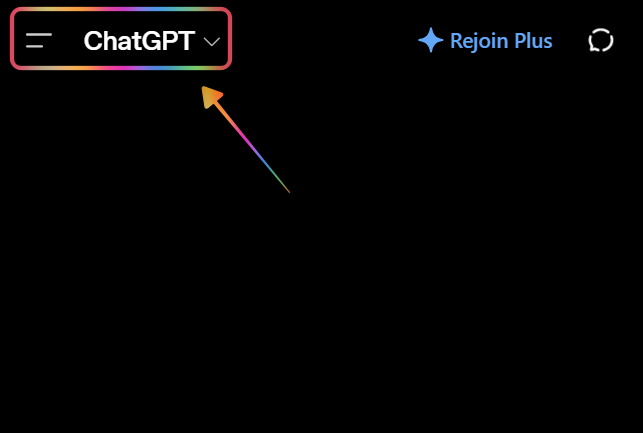
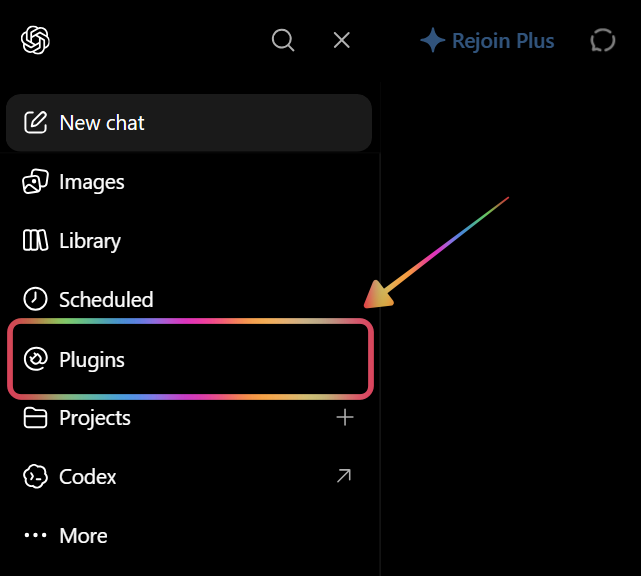
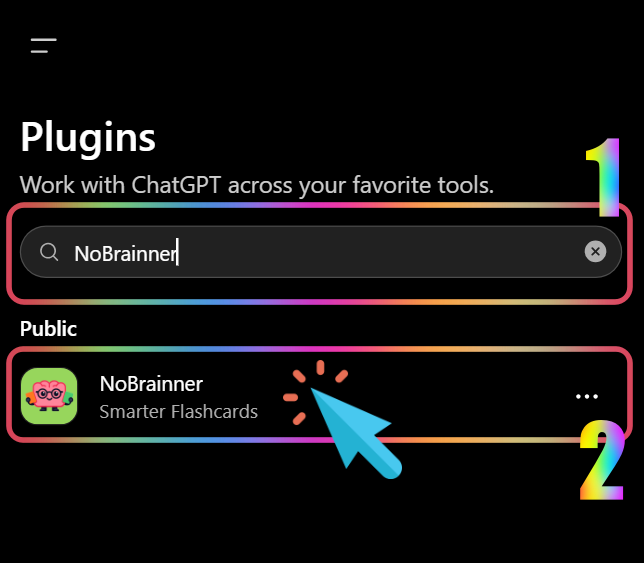
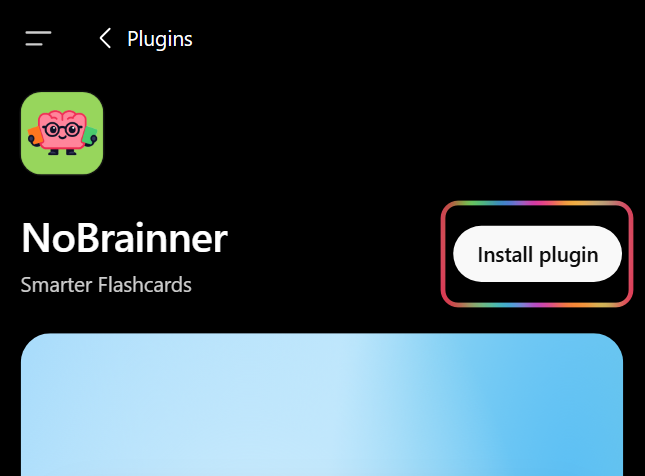
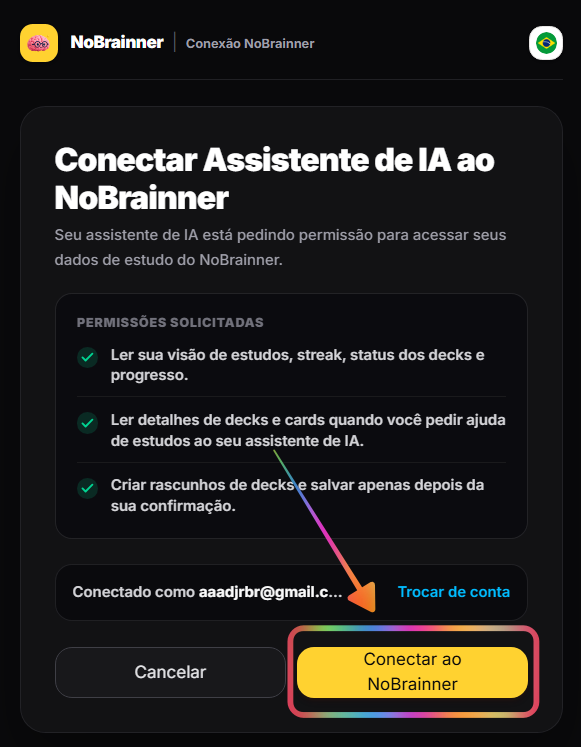
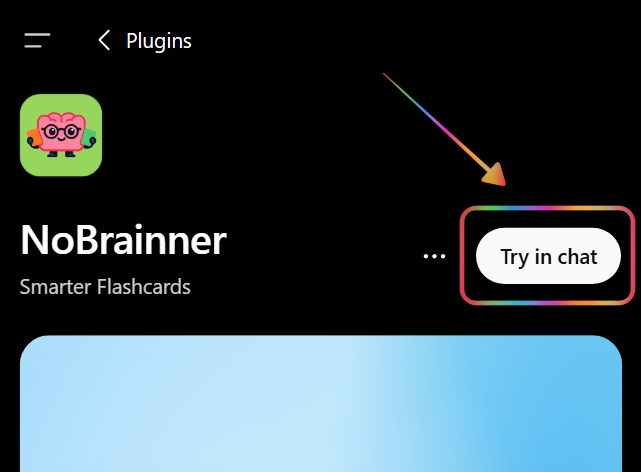
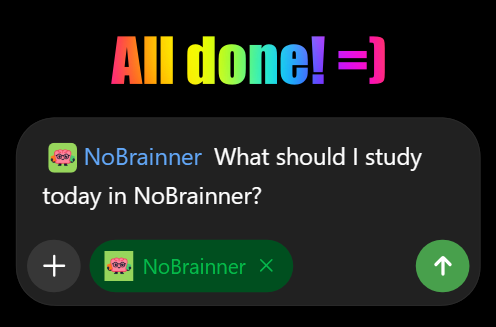
1/7 — Follow each screenshot to install the NoBrainner ChatGPT plugin step by step.
Grok (xAI) Integration Visuals
Visual walkthrough for connecting NoBrainner inside Grok via Custom Connector:
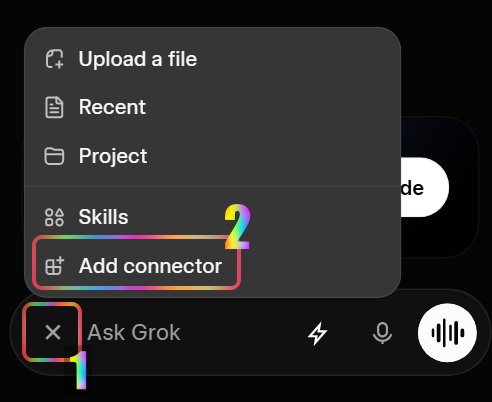
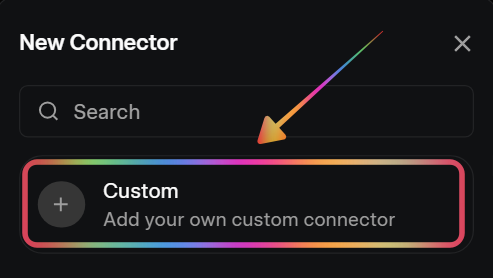
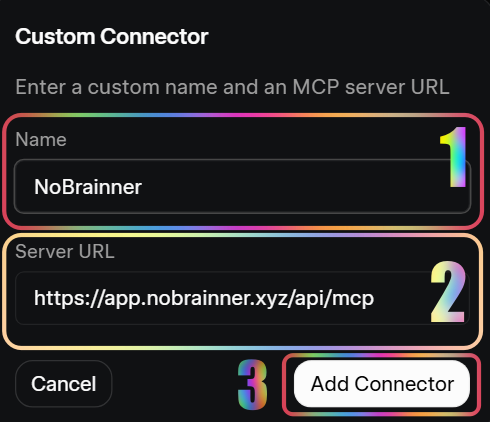
1/3 — Follow each screenshot to connect NoBrainner to Grok step by step.
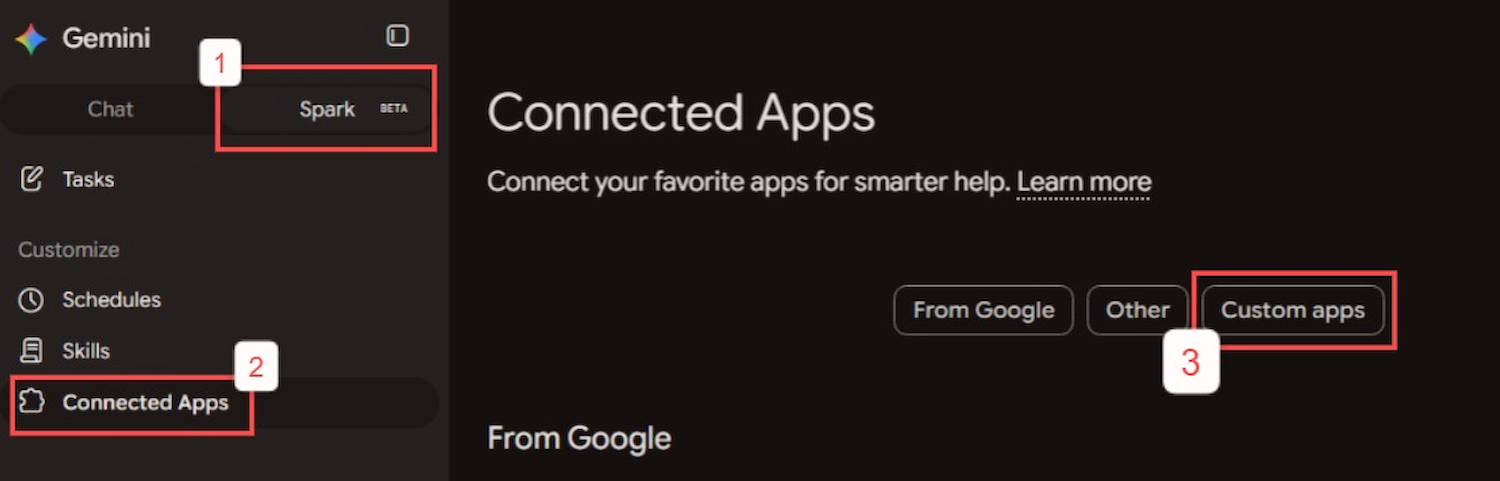
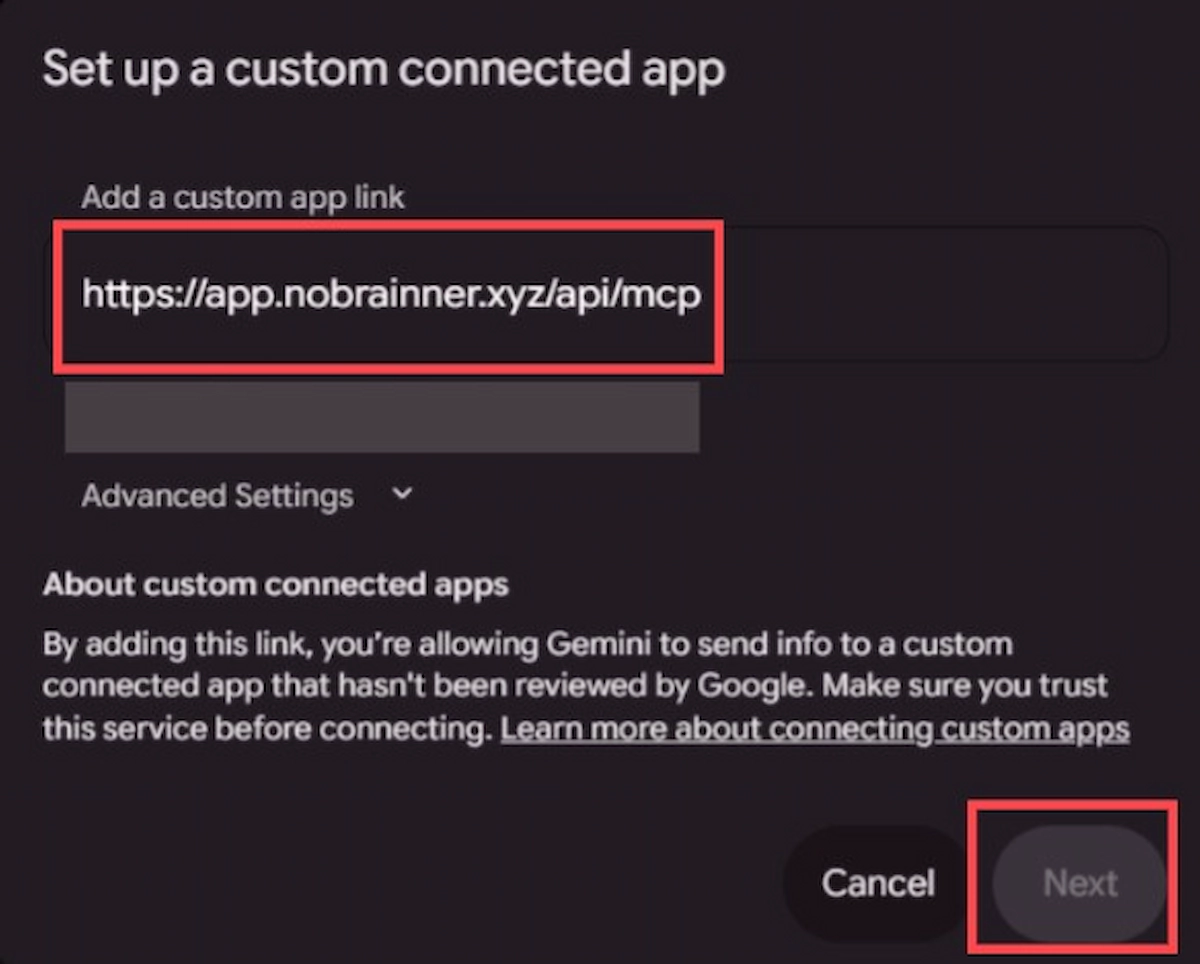
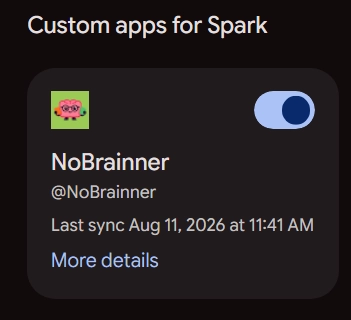
Gemini Spark Integration Visuals
Visual reference of NoBrainner connected inside Google Gemini Spark via Remote MCP:
Claude.ai Web Integration Visuals
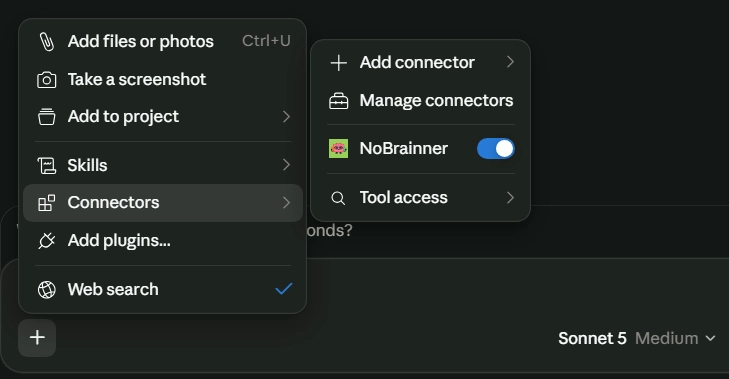
Visual reference of NoBrainner connected inside Anthropic Claude.ai via Remote MCP:
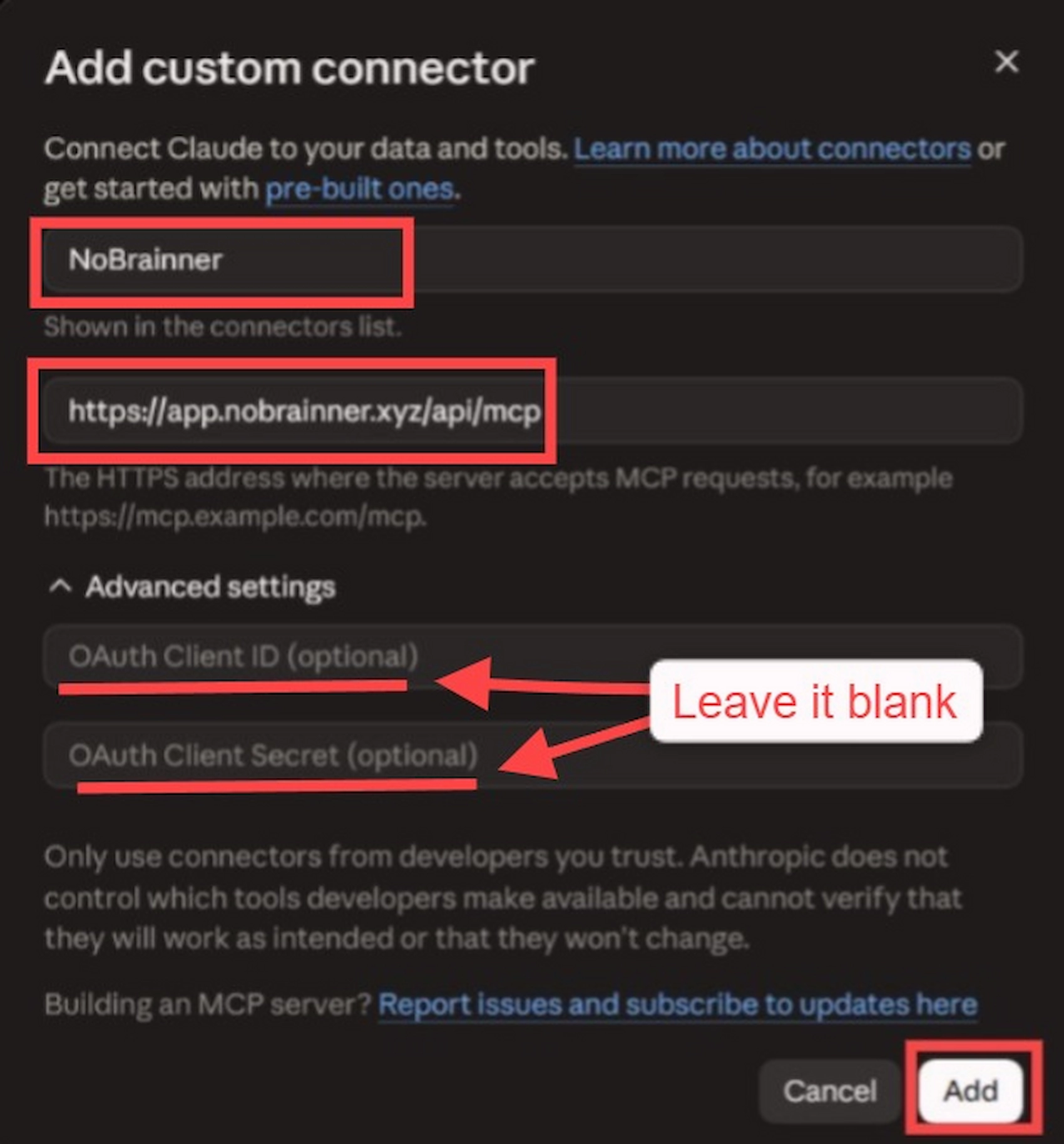
Alternative Option: Claude.ai MCP Setup
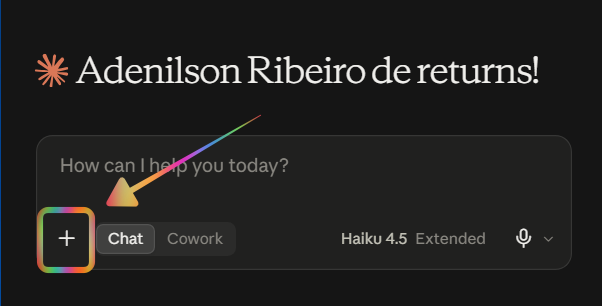
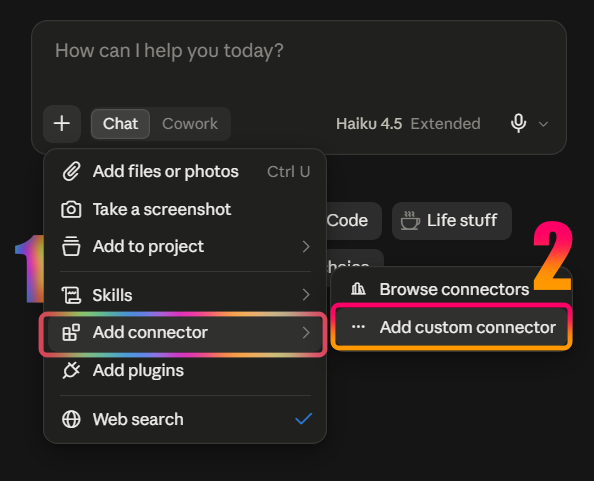
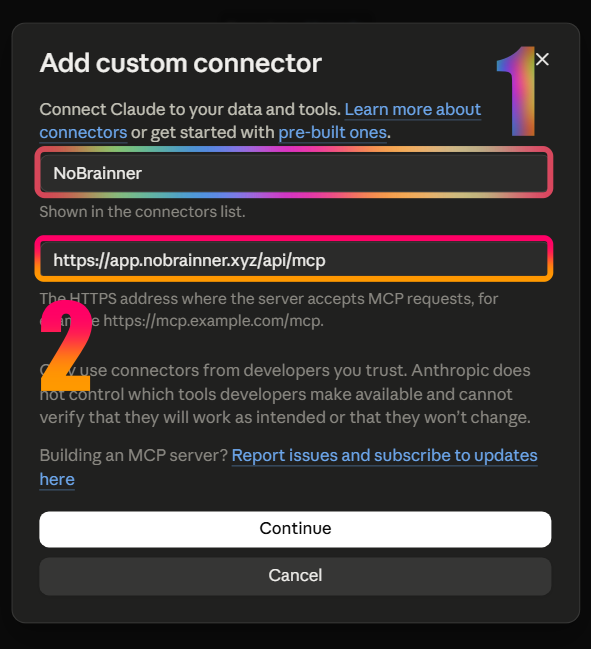
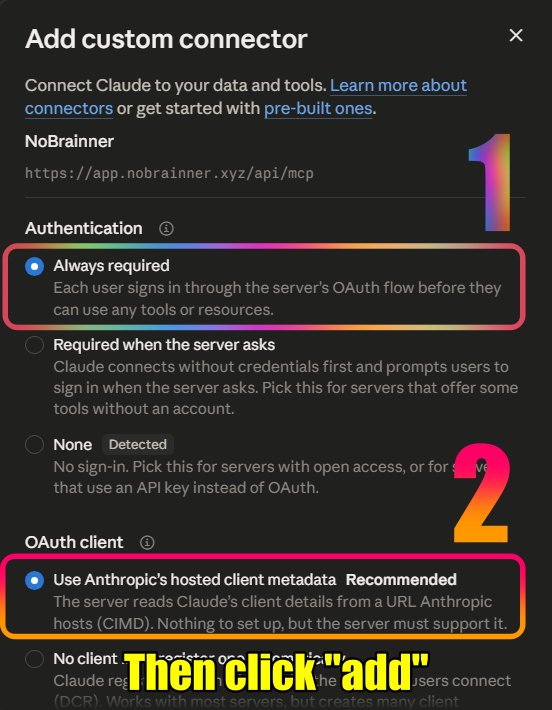
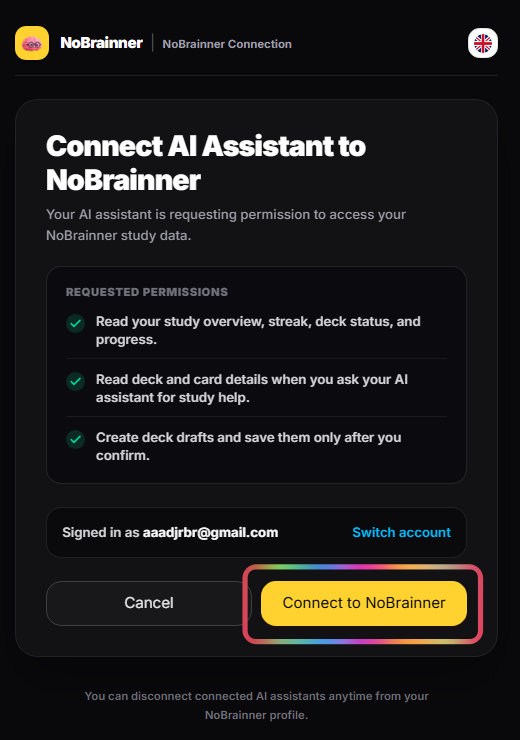
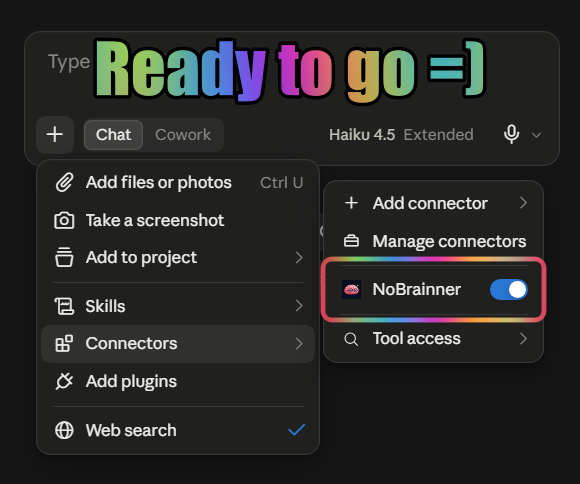
1/6 — Follow the screenshots to add NoBrainner to Claude.ai when the connector menu looks different.
What to Ask Your AI Assistant
Once connected, try these prompts in any language:
How many cards do I have to review today on NoBrainner? What is my current streak?
Which cards am I struggling with most in my Spanish deck?
Find popular French community decks on NoBrainner.
Import this shared deck link into my account: https://nobrainner.xyz/share/ownerUid:deckFingerprint
Create a 20-card B2 French vocabulary deck and add standard audio.
Create a 15-card English phrasal verbs deck with a premium female voice.
Set my Phrasal Verbs deck to show cards reversed and limit to 10 new cards per day.
What is my accuracy rate this month? Show me my grade breakdown.
Where do I rank on the global NoBrainner leaderboard this week?
List all my active decks with their card counts.
What voices are available for my plan? Can I use human-like voices?
I have a question about NoBrainner — where can I get help?
Available Tools
Returns profile overview, plan, available voice tiers, current streak, deck counts, and recent review metrics.
Returns detailed learning stats: accuracy rate, grade distribution, study hours, and 30-day accuracy history.
Returns current global weekly leaderboard rankings, streak leaders, and user position.
Returns list of student decks with card counts, sync status, and study settings.
Returns detailed deck metadata and paginated card fronts/backs.
Returns all student deck folders and decks grouped by folder, including custom emojis, colors, and sort order.
Creates a new deck organization folder with name and custom accent color.
Renames or changes accent color of an existing deck folder.
Deletes a deck folder and moves contained decks back to root (unfoldered).
Moves a deck into a specific folder or out to root (unfoldered).
Customizes deck title, custom icon emoji, accent color, or display order position.
Returns cards with highest struggle (Again/Hard) signals.
Returns daily review activity and XP for the last N days.
Creates a pending flashcard deck draft from model output. Supports optional TTS audio (standard for free, human-like Chirp3-HD for Pro).
Previews a pending deck draft before saving.
Saves a confirmed deck draft to the user account.
Returns current study settings for a deck: orientation, daily limits, font, and auto-audio.
Updates study settings for a deck: orientation, daily limits, font size, font family, or auto-audio.
Legal Terms & Consent
"By connecting to the NoBrainner Remote MCP Server, you agree to our Terms of Service and Privacy Policy. Your client receives scoped access based on your authorization: read-only access for study statistics and deck browsing, and write access for creating flashcard drafts. Deck drafts are only saved after your explicit confirmation."
Frequently Asked Questions (FAQ)
Everything non-technical users need to know about connecting NoBrainner to AI assistants:
Q: Does Remote MCP work on free AI plans or do I need a paid subscription?
It depends on the platform: Claude.ai Web and Claude Desktop support Remote MCP on FREE & Pro plans! However, platforms like ChatGPT and Gemini Spark currently require a paid tier (Plus/Pro/Advanced) to connect custom MCP servers. Developer IDEs (Cursor, Windsurf) require their respective IDE plan.
Q: Can I connect and study from my phone / mobile device?
Yes! Once you link NoBrainner on Claude.ai or ChatGPT, your connection automatically syncs across your account. You can create decks and ask study questions right from your iPhone or Android phone.
Q: Do I need a computer to set this up?
No computer required! You can complete the 60-second setup directly from your phone browser or computer browser without downloading any files.
Q: Do I need to install any software or extensions?
No installation needed! NoBrainner operates a Remote Cloud MCP Server (https://app.nobrainner.xyz/api/mcp) that connects securely over the internet.
Q: Are my flashcards and study streak automatically saved?
Yes! Every flashcard deck created or modified by your AI assistant is instantly saved to your official NoBrainner account.