Model Context Protocol
Connect NoBrainner Everywhere
Use your NoBrainner spaced repetition decks, study stats, and weak card alerts directly inside your favorite AI assistants and IDEs.
ChatGPT Custom App Setup
Option A: One-Click Visual Guide
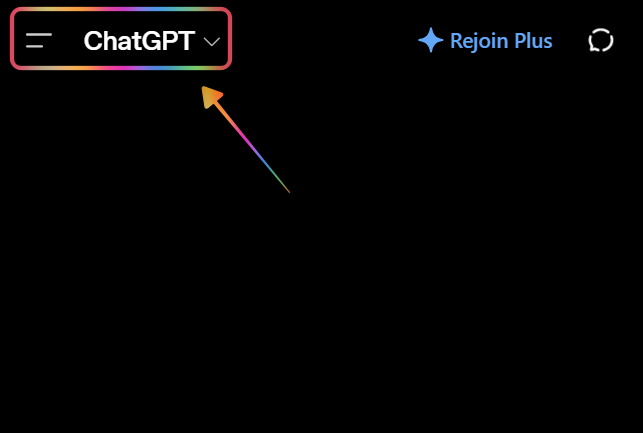
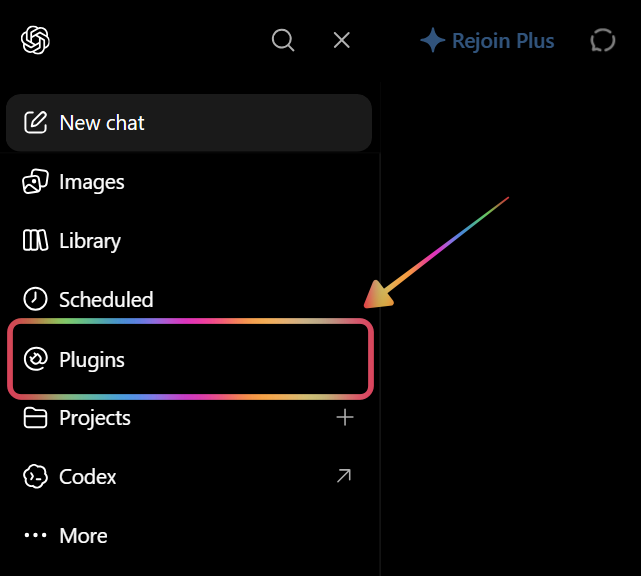
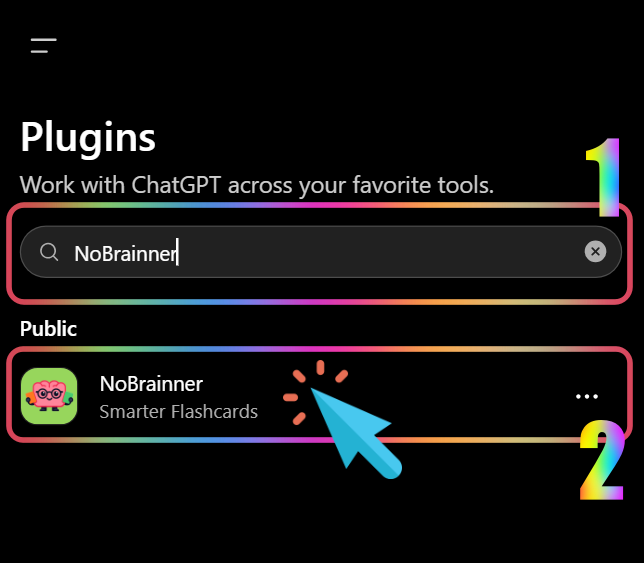
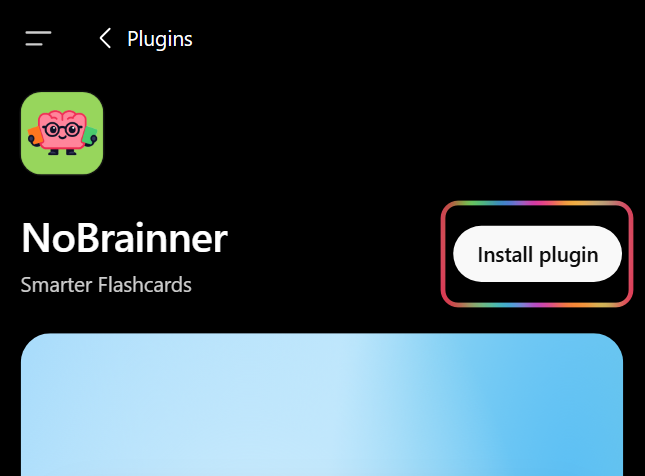
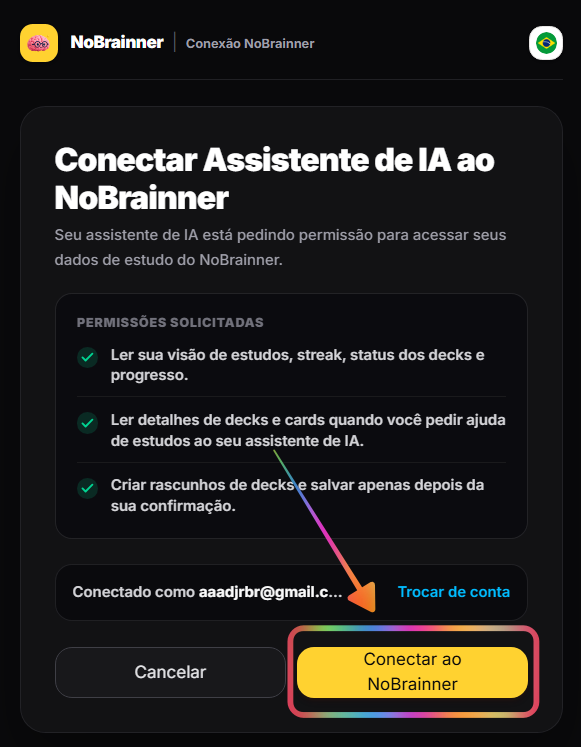
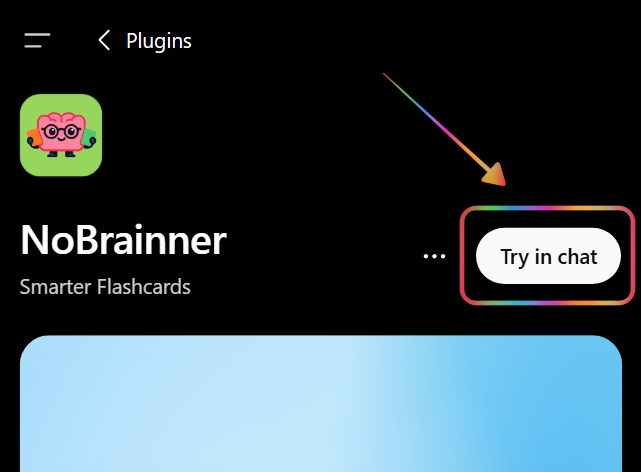
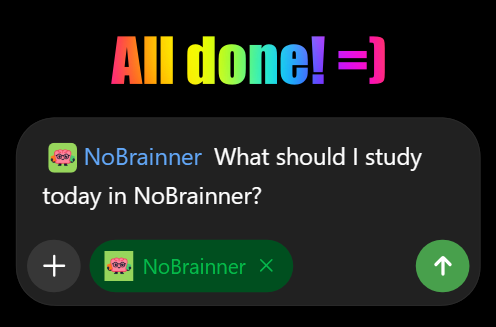
1/7 — Follow each screenshot to install the NoBrainner ChatGPT plugin step by step.
Option B: Manual URL Setup
| 1 | https://app.nobrainner.xyz/api/mcp |
What to Ask Your AI Assistant
Once connected, try these prompts in any language:
How many cards do I have to review today on NoBrainner? What is my current streak?
Which cards am I struggling with most in my Spanish deck?
Find popular French community decks on NoBrainner.
Import this shared deck link into my account: https://nobrainner.xyz/share/ownerUid:deckFingerprint
Create a 20-card B2 French vocabulary deck and add standard audio.
Create a 15-card English phrasal verbs deck with a premium female voice.
Set my Phrasal Verbs deck to show cards reversed and limit to 10 new cards per day.
What is my accuracy rate this month? Show me my grade breakdown.
Where do I rank on the global NoBrainner leaderboard this week?
List all my active decks with their card counts.
What voices are available for my plan? Can I use human-like voices?
I have a question about NoBrainner — where can I get help?
What can NoBrainner AI do for you?
Ask your favorite AI assistant any of these commands in English, Portuguese, or Spanish:
How many cards do I have due today in NoBrainner? What is my streak?
Inspect due cards, active streaks, and study stats in real time.
Which cards am I struggling with most in my Spanish deck?
Find cards you miss most often so your AI assistant can tutor you.
Create a 20-card B2 French vocabulary deck and save it to my NoBrainner account.
Generate custom flashcards during conversation and save directly to your account.
Where do I rank on the global weekly NoBrainner leaderboard this week?
Check global weekly rankings, top streaks, and your current leaderboard spot.
Existing NoBrainner User Onboarding
Existing NoBrainner accounts retain 100% of study history, streak logs, and imported decks when connecting via MCP.